
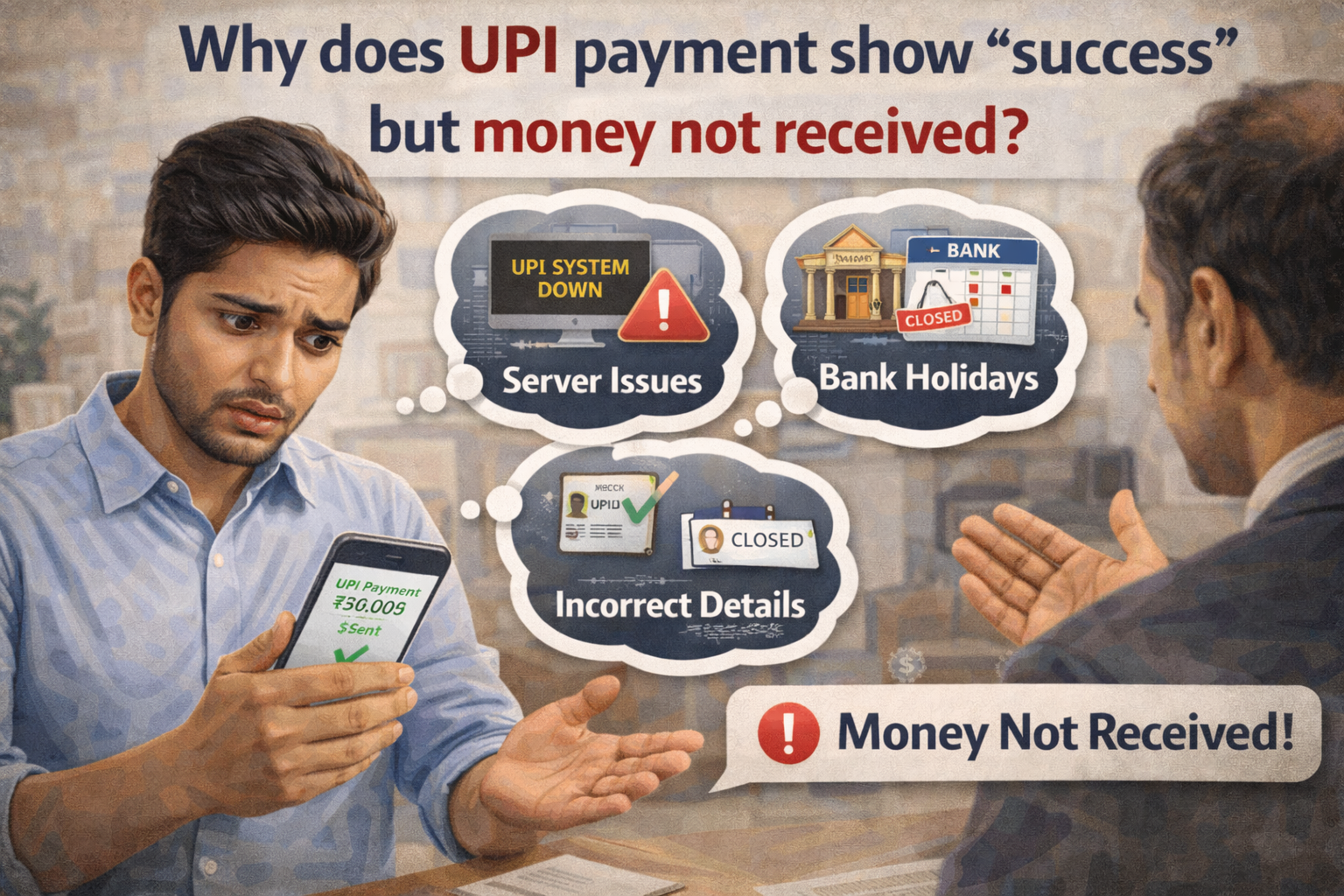
At 11:47 PM last Friday, Ananya paid her electricity bill—₹3,847 through PhonePe.
The screen showed “Payment Successful” with a green checkmark. She took a screenshot, closed the app, and went to sleep.
Saturday morning, she got a disconnection notice. The bill was unpaid.
She checked her bank account. The ₹3,847 was gone—debited from her account.
She checked the electricity company portal. No payment received.
“Where did my money go?” she asked me in panic. “The app says successful. My account is debited. But they say they never got it.”
This is one of the most frustrating situations in digital payments. And it’s shockingly common.
I’ve spent over 12 years in banking and payment systems, and I’ve seen this scenario play out thousands of times. Let me explain exactly what’s happening, where your money actually is, and how to get it back.
The Short Answer (That Leads to Complicated Reality)
When UPI shows “success” but money isn’t received, your payment is stuck in a limbo between multiple systems.
Your bank debited your account (so you see money gone). The recipient’s system didn’t receive or credit the payment (so they see nothing). And somewhere in the middle—across payment gateways, NPCI servers, or bank reconciliation systems—there’s a mismatch.
This happens because UPI involves multiple parties:
- Your bank
- NPCI (National Payments Corporation of India – runs UPI)
- Recipient’s payment gateway (if paying a merchant)
- Recipient’s bank
- The UPI app you used
When everything works perfectly, this happens in 1-3 seconds. When one piece fails, you get “success” on screen but reality doesn’t match.
The good news? Your money isn’t lost—it’s stuck. And there are processes to retrieve it.
The bad news? Those processes aren’t fast or straightforward.
How UPI Actually Works (Understanding This Explains Everything)
Most people think UPI is simple: tap, enter PIN, money transfers.
Behind the scenes, it’s much more complex:
The Step-by-Step Journey of Your ₹1,000 Payment
Step 1: You initiate payment in PhonePe/Google Pay/Paytm
- App sends request to your bank
- Your bank validates: sufficient balance? Correct PIN? Account active?
Step 2: Your bank debits your account
- ₹1,000 leaves your account immediately
- Your bank creates a debit transaction record
- Money moves to a settlement account
Step 3: Request goes to NPCI
- Your bank sends payment instruction to NPCI
- NPCI logs the transaction
- NPCI routes it to recipient’s bank
Step 4: Recipient’s bank receives instruction
- They validate recipient account exists
- They prepare to credit the amount
Step 5: Recipient’s bank credits the account
- ₹1,000 appears in recipient’s account
- Their bank sends confirmation to NPCI
Step 6: NPCI confirms to your bank
- Transaction marked complete
- Your bank updates status as “success”
Step 7: Your app shows “Payment Successful”
- You see green checkmark
- Transaction complete
Total time when everything works: 1-5 seconds
Now here’s where problems occur: failures can happen at ANY step, but the status you see might not reflect where the actual failure occurred.
Why “Success” Doesn’t Always Mean Success
The Status Message Problem
Your UPI app shows status based on what your bank tells it. But your bank’s status reflects only what it knows—which is often incomplete in real-time.
What “success” actually means:
- Your bank successfully debited your account
- Your bank successfully sent the payment instruction to NPCI
- Your bank received some form of acknowledgment
What “success” doesn’t guarantee:
- Money reached NPCI’s system correctly
- NPCI routed it to recipient’s bank
- Recipient’s bank received the instruction
- Recipient’s bank credited the account
- Recipient actually sees the money
There’s a gap between what the app displays and what actually happened downstream.
Technical Failures That Cause This
1. Network timeout at NPCI
Your bank sends payment instruction to NPCI. NPCI’s server is overloaded (happens during peak hours, especially around salary days or major shopping sales).
The request times out. Your bank already debited your account, so it marks the transaction as “pending” or sometimes even “success” based on partial acknowledgment.
But NPCI never properly processed it, so recipient never gets money.
2. Recipient bank system downtime
NPCI receives your payment and routes it to recipient’s bank. But that bank’s server is down for maintenance or experiencing technical issues.
The instruction bounces back or sits in queue. Your bank thinks it went through. Recipient’s bank never processes it.
3. Account number or IFSC mismatch
You’re paying a merchant. Their payment gateway has wrong account details configured (happens after they change banks or during setup errors).
Money leaves your account, reaches NPCI, gets routed to a non-existent account number. The receiving bank rejects it.
But the rejection message takes time to flow back. Meanwhile, your app shows “success” based on your bank’s perspective.
4. Reconciliation delays
Recipient’s bank receives the payment instruction but their internal systems have reconciliation lag.
Money is credited to their settlement account but not yet posted to the final recipient’s account. Could take hours or even until next business day.
From your bank’s view: success. From recipient’s view: payment not received.
5. Merchant payment gateway issues
You’re paying Swiggy or Zomato or an online shopping site. The payment goes through UPI successfully, but their payment gateway (the system that connects their platform to banks) has a bug or delay.
Your money reaches their bank account, but their internal systems don’t update your order status. They think payment failed even though money was transferred.
The Weekend and Holiday Trap
This one catches people constantly.
UPI transactions happen 24/7, but bank settlement processes don’t.
What happens:
- You make payment Friday night at 11 PM
- Your bank debits immediately (their system runs 24/7)
- NPCI processes immediately (runs 24/7)
- Recipient bank receives instruction
- But their credit posting system only runs during business hours
- Your payment sits in queue until Monday morning
You see “success” and money debited on Friday. Recipient sees payment credited Monday.
For 2-3 days, both of you are confused about where the money is.
This is especially common with:
- Government payment systems (tax, bill payments)
- Smaller banks with older infrastructure
- Cooperative banks
- Rural bank branches
The Real Reasons Behind Failed-But-Successful Payments
Let me share the actual scenarios I’ve seen repeatedly:
Scenario 1: The Duplicate Debit
What happened: You tried to pay ₹5,000. First attempt gave “transaction failed” error. You tried again. Second attempt showed “success.”
Reality: First transaction actually went through at NPCI level, but your app didn’t receive confirmation due to network issue. Second transaction went through too.
You got charged twice: ₹10,000 gone from your account. Recipient received only ₹5,000 (or sometimes ₹10,000, creating different problems).
The “extra” ₹5,000 sits in settlement limbo until reconciliation happens.
Scenario 2: The Merchant Misconfiguration
What happened: You paid a small business using their QR code. Payment successful, but they say money not received.
Reality: Their QR code was generated through an aggregator (like BharatPE or PayTM for Business). The money went to the aggregator’s settlement account.
The merchant’s bank account gets credited only after the aggregator does batch settlement—usually T+1 or T+2 (next day or day after).
Your money is safe, just in transit. But merchant panics because they check their direct bank account, not their merchant dashboard.
Scenario 3: The Wrong UPI ID
What happened: You paid to grocery@paytm but meant grocery@ybl (different UPI handles, different people).
Reality: Transaction succeeded—money went exactly where you told it to go, just not where you meant to send it.
This isn’t a technical failure. It’s user error. But it looks like “success but not received” because the intended recipient never got it.
Recovery is much harder here because the money went to a valid account, just the wrong one.
Scenario 4: The Settlement Batch Delay
What happened: You paid your credit card bill at 2 PM. Card company says not received even at 6 PM.
Reality: Payment went through successfully, but credit card companies process UPI payments in batches—usually 3-4 times a day.
Your payment is sitting in a queue waiting for next batch processing (maybe 8 PM). Once processed, it’ll reflect in minutes.
Nothing is wrong. Just normal settlement lag that nobody explains to customers.
Scenario 5: The Refund Loop
What happened: Payment shows success, then you get a refund notification 3 days later with “transaction failed” message.
Reality: Your payment did initially go through, but recipient’s bank later rejected it (maybe account closed, maybe KYC issues, maybe internal bank error).
The rejection triggers auto-refund, but with confusing messaging that makes it look like the transaction was simultaneously successful and failed.
Where Your Money Actually Is Right Now
When you’re stuck in “success but not received” situation, your money is in one of these places:
1. NPCI Settlement Account
NPCI maintains settlement accounts for reconciling payments between banks.
If your bank sent money to NPCI but recipient’s bank hasn’t confirmed receipt, it sits here temporarily.
NPCI runs reconciliation every few hours. Mismatches get flagged. Your money will either:
- Get credited to recipient (if issue resolves)
- Get refunded to you (if recipient bank rejects)
Timeline: 24-72 hours typically
2. Recipient Bank’s Suspense Account
Recipient’s bank received payment instruction but something doesn’t match—account number format, name mismatch, unclear reference.
They park it in “suspense account” until clarification.
Once clarified, they credit the intended account. If can’t clarify, they return to sender.
Timeline: 3-7 working days
3. Payment Gateway Settlement Account
For merchant payments, money often sits in the payment gateway’s account waiting for batch settlement to merchant’s bank.
This is normal process, not an error. But creates confusion because merchant checks their bank, sees nothing, panics.
Timeline: T+1 to T+3 (1-3 business days)
4. Your Own Bank’s Internal Adjustment Account
Sometimes your bank debited you, but their internal systems flagged the outgoing transaction for verification before sending to NPCI.
Money is technically still with your bank, in a holding account, while they verify.
This happens with large amounts or if your transaction pattern looked suspicious.
Timeline: 24-48 hours
5. Already Refunded But Not Reflected
The failed transaction triggered auto-refund, but refund processing has its own timeline.
Money is on the way back to you, you just don’t see it yet.
Timeline: 3-7 business days
What to Do Right Now (Step-by-Step Action Plan)
Don’t panic. Follow this exact sequence:
Immediate Actions (Within 1 Hour)
1. Screenshot everything
- Payment success screen
- Bank account statement showing debit
- Transaction ID/UTR number
- Time and date of transaction
- Recipient details you paid to
Documentation is crucial for resolving this.
2. Check your bank statement carefully
- Is money actually debited or just “on hold”?
- Check for duplicate debits
- Look for any refund credits you might have missed
- Note exact amount and timestamp
3. Check recipient’s payment status
- If paying a person, ask them to check their bank statement (not just app balance)
- If paying merchant, check order status and payment status in their app
- Sometimes the payment is received but their UI doesn’t update
4. Verify transaction details
- Did you pay to correct UPI ID/number?
- Check for typos in payment reference
- Confirm amount matches what recipient expected
Next 24 Hours
5. Report in your UPI app
- Every app has “Report Issue” or “Help” for transactions
- Find your transaction in history
- Select “Payment successful but not received by merchant” or similar option
- Submit complaint with transaction ID
6. Call your bank
- Call from registered mobile number
- Provide transaction ID (UTR number)
- Ask for current status of the payment
- Request escalation if they can’t track it
7. Contact recipient
- If merchant, contact their customer support
- Provide payment proof (screenshot)
- Ask them to check with their payment team
- Get a complaint number from them too
Days 2-7
8. Follow up daily
- Check bank account for refund
- Follow up on complaint with app
- Contact bank again if no progress
- Check with recipient if payment appeared
9. Email formal complaint
- To your bank’s grievance cell
- To UPI app’s support email
- Include all details: transaction ID, date, amount, account numbers
- Attach screenshots
10. Lodge complaint with NPCI
- Visit: npci.org.in
- Go to Consumer Awareness → Grievance Redressal
- Register complaint for UPI transaction
- Mention that bank hasn’t resolved it
If Not Resolved After 7 Days
11. Banking Ombudsman
- Visit: cms.rbi.org.in (RBI’s complaint portal)
- File complaint against your bank
- Provide all documentation
- Mention previous complaint numbers
12. Consumer Court
- For amounts above ₹10,000-₹20,000, consider legal action
- File in local consumer forum
- Claim principal amount plus compensation for harassment
- Include costs of time wasted
13. Social media escalation
- Tweet @NPCI_NPCI and tag your bank and UPI app
- Post on bank’s/app’s Facebook page
- Public complaints often get faster response
- Keep tone factual, not emotional
The Auto-Refund Timeline (What Banks Don’t Tell You)
RBI has mandated auto-refund rules for failed UPI transactions:
Official timeline:
- T+1: Next day (for most failed transactions)
- T+5: Within 5 days maximum
- After T+5: Customer can claim compensation (₹100 per day of delay)
Reality check: Banks often take the full 5 days. Sometimes longer, claiming “investigation required.”
What triggers auto-refund:
- Transaction marked “failed” in NPCI system
- Recipient bank rejects transaction
- Account number invalid
- Technical failure confirmed
What doesn’t trigger auto-refund:
- Transaction marked “success” everywhere (then it’s not technically “failed”)
- Money successfully reached recipient’s account (even if wrong recipient)
- Dispute about whether service/goods were delivered
If your case falls in second category, you’re not getting auto-refund. You need dispute resolution.
Why This Keeps Happening (Systemic Issues)
1. UPI Scale vs. Infrastructure
India processes 10+ billion UPI transactions monthly. The system wasn’t designed for this volume.
During peak hours (8-10 AM, 1-2 PM, 8-10 PM), servers get overwhelmed. Failed transactions spike.
2. Legacy Bank Systems
Many banks run on 20-30 year old core banking systems. They’ve added UPI on top through APIs, but the underlying infrastructure is slow.
When modern real-time payments meet ancient banking systems, glitches happen.
3. Lack of Real-Time Reconciliation
Banks reconcile transactions in batches, not in real-time. This creates lag between “money sent” and “money received.”
For small amounts, this is tolerable. For urgent payments, it’s terrible.
4. Poor Error Messaging
When transaction fails, the error code that travels through the system often gets translated poorly by the time it reaches your app.
You see generic “Transaction failed” or confusing “Success” when reality is more nuanced.
5. Multiple Parties, No Single Accountability
Your bank blames NPCI. NPCI blames recipient bank. Recipient bank blames merchant. Merchant blames payment gateway.
Customer is stuck in the middle with everyone pointing fingers.
Prevention Strategies (Because Recovery Is Painful)
Before Making Payment
1. Verify recipient details twice
- UPI ID spelling
- Phone number (all 10 digits)
- Merchant name after scanning QR code
One wrong character = money goes to wrong person, and it’s nearly impossible to recover.
2. Pay during off-peak hours
- Avoid 8-10 AM and 8-10 PM
- Mid-afternoon (2-4 PM) has better success rates
- Late night (11 PM-1 AM) surprisingly reliable due to lower traffic
3. Use payment platforms strategically
- For bill payments: use official biller website/app (fewer intermediaries)
- For person-to-person: direct UPI to their bank handle (@okaxis, @ybl, etc.)
- For merchants: prefer apps where you have previous successful payment history
4. Check recipient’s bank reliability
- Payments to major bank UPI handles (SBI, HDFC, ICICI, Axis) process faster
- Small banks and cooperative banks have higher failure rates
- Not their fault, just infrastructure reality
5. Don’t retry immediately
- If payment fails, wait 5 minutes before retrying
- Immediate retry can cause duplicate debit
- Check bank account first to see if debit happened despite failure message
During Payment
1. Don’t close app immediately
- Wait for confirmation screen fully loads
- Let the app complete its acknowledgment cycle
- Closing too fast can cause status mismatch
2. Maintain stable internet
- Switch off WiFi, use mobile data (more stable for UPI)
- Don’t make payment in areas with weak signal
- Don’t switch between WiFi and mobile data mid-transaction
3. Screenshot confirmation immediately
- As soon as you see “success” or “failed”
- Capture transaction ID/UTR
- This is your evidence if dispute arises
After Payment
1. Verify immediately
- Check your bank account (debit happened?)
- Ask recipient to check their account (credit received?)
- Don’t assume success message means money reached
2. Keep payment proof accessible
- Don’t delete screenshots for at least 30 days
- Note transaction details somewhere
- Maintain payment history record
3. Monitor for unexpected refunds
- If you get refund notification days later, the original payment failed
- This means recipient never got money
- You’ll need to make payment again
The Credit Score Connection (Hidden Impact)
Here’s what most people don’t realize: UPI payment failures can affect your loan eligibility.
How this happens:
If you set up auto-pay for:
- Credit card bills
- Loan EMIs
- Insurance premiums
- Subscription services
And the UPI payment shows “success” but doesn’t actually reach the biller, the biller marks your payment as missed.
This missed payment reports to credit bureaus. Your CIBIL score drops.
Even though from your perspective, you paid (your account was debited), from biller’s perspective, you defaulted.
During the bank loan approval process, banks see these missed payments. They don’t see the context—just the default record.
This becomes one of the hidden reasons banks reject loans. Your payment intention was good, but technical failure created credit history damage.
One of the biggest CIBIL score myths is that technical payment failures don’t count as defaults. They absolutely do.
The relationship between credit score vs loan eligibility includes payment reliability, regardless of why payments failed.
Protection strategy:
- Don’t rely solely on UPI auto-pay for critical bills
- Set reminders to verify payment success
- Keep backup payment method ready
- If auto-pay fails, immediately make manual payment
- Inform biller in writing about technical failure to get it documented
Special Cases That Confuse Everyone
Case 1: The “Pending” That Becomes “Success”
You made payment. It showed “pending” for hours. Suddenly next day it shows “success.”
What happened: Your payment actually went through initially, but confirmation got delayed due to network issues. The system eventually reconciled and updated status.
Recipient probably received money hours ago but your app just caught up.
What to do: Confirm with recipient they received it. Don’t retry assuming it failed.
Case 2: The Double Success
Both attempts showed success. Both debited your account. But recipient received only once.
What happened: Second transaction was actually a duplicate at your bank’s end, or NPCI detected duplicate and auto-rejected one.
What to do: One amount will auto-refund within 5-7 days. If it doesn’t, follow dispute process with transaction IDs of both payments.
Case 3: The Partial Credit
You paid ₹5,000. Recipient received ₹4,850.
What happened: Merchant’s payment gateway or bank deducted charges. This is actually stated in their terms, but nobody reads those.
Some payment acceptance services charge 1-3% merchant discount rate (MDR). UPI is supposed to be zero-MDR for consumers, but some merchants pass costs indirectly.
What to do: Check merchant’s terms. If charges weren’t disclosed upfront, you can dispute.
Case 4: The Delayed Batch
Payment at 2 PM shows success. Recipient sees credit at 11 PM same day.
What happened: Nothing wrong. Just normal settlement batch processing. Some banks/merchants batch process UPI receipts 2-3 times daily.
Annoying, but not an error.
Case 5: The International Confusion
You paid a merchant who receives payments through international payment gateway (PayPal integration, etc.).
What happened: UPI payment reached gateway, but gateway’s systems have currency conversion and processing delays.
Can take 24-48 hours for merchant to see it in their account, even though money left yours immediately.
When It’s Actually Fraud (Not Technical Failure)
Sometimes “success but not received” is a scam, not a glitch:
Scam variations:
1. Fake merchant QR codes
- Scammer puts fake QR code over real one
- You scan, payment succeeds
- Money goes to scammer’s account, not merchant’s
- Merchant legitimately says “not received” because they didn’t
How to avoid:
- Verify merchant name that appears after scanning
- Check if it’s business account or personal account
- Personal accounts for business payments are red flag
2. Phishing refund scams
- Someone contacts you saying “your payment failed, need to process refund”
- They send link or ask for OTP
- You end up making additional payment instead of getting refund
How to avoid:
- Refunds happen automatically, nobody calls for it
- Never share OTP for “receiving” refund
- Never click links sent via SMS/WhatsApp for payment issues
3. Merchant dispute scam
- You paid for goods/service
- Merchant claims payment not received
- Demands you pay again (keeping both payments)
How to avoid:
- Never pay second time without confirming first payment failed
- Show payment proof before considering repayment
- Report to platform if merchant is lying about payment received
Frequently Asked Questions
Q1: How long should I wait before escalating if payment shows success but wasn’t received?
Wait 24 hours for settlement lag, especially if paid during weekend/holiday or late evening. If after 24 hours money is still debited from your account but not credited to recipient, immediately raise complaint. Don’t wait weeks—the longer you wait, the harder recovery becomes. For critical/large payments, escalate after 2-3 hours itself if recipient confirms non-receipt.
Q2: Can NPCI reverse a UPI transaction that went to the wrong recipient by mistake?
No. NPCI doesn’t have authority to reverse successfully completed transactions. If money reached the account you specified (even if you meant to specify a different one), that transaction is complete. Your only option is requesting the recipient to return money voluntarily, or legal action if they refuse. This is why verifying recipient details before payment is crucial—once confirmed, it’s irreversible.
Q3: Will I get compensation if my UPI payment was delayed or failed?
Yes, if transaction failure was due to bank/NPCI fault and refund takes more than T+5 days, you’re entitled to ₹100 per day compensation as per RBI rules. However, you must claim it—banks don’t automatically pay. File written complaint citing RBI’s Payment Systems Circular, document the delay, and request compensation. For merchant disputes (not technical failures), compensation rules don’t apply.
Q4: Why do refunds take 5-7 days when the original debit was instant?
Technical answer: Credits require more verification than debits to prevent fraud. Your bank debited instantly because they control your account. Refund involves crediting back, which goes through reconciliation processes. Practical answer: Banks benefit from holding your money longer (they earn interest on float), so there’s no incentive to speed refunds. The 5-7 day timeline is banking standard, not technical limitation.
Q5: Should I use UPI for large payments like car down payment or property booking?
Not recommended for amounts above ₹1 lakh. UPI has ₹1 lakh per transaction limit anyway, but even within that, large payments are risky via UPI because: (1) dispute resolution is harder, (2) no proper receipt generation, (3) refund delays impact large amounts more, (4) no payment guarantees like NEFT/RTGS provide. For large payments, use RTGS/NEFT from net banking—you get transaction receipt, tracking, and better dispute resolution.
Q6: What’s the difference between UTR, transaction ID, and reference number—which one do I need for complaints?
UTR (Unique Transaction Reference) is the most important—it’s the NPCI-level unique identifier for your transaction. Transaction ID is app-specific (PhonePe ID differs from Google Pay ID for same transaction). Reference number is what recipient sees. For complaints, always provide UTR number—it’s the universal identifier that banks and NPCI use to track payments across the entire system. Find it in your payment app’s transaction details.
Q7: Can my bank refuse to refund if they claim the transaction was “successful”?
They can claim it initially, but you have recourse. If your account was debited but recipient’s account was not credited, the transaction is “incomplete” regardless of what status message showed. Provide proof: (1) your bank statement showing debit, (2) recipient’s statement showing no credit or their written confirmation, (3) transaction ID. If bank still refuses, escalate to Banking Ombudsman—they will investigate the transaction trail and force resolution.
Q8: Does using certain UPI apps increase chances of success—is PhonePe more reliable than Google Pay or vice versa?
Not significantly. All UPI apps use the same underlying NPCI infrastructure. Success rates depend more on: (1) your bank’s UPI server reliability, (2) recipient’s bank’s system uptime, (3) transaction timing, (4) network connectivity. That said, apps with better error handling might give you clearer status messages. Some banks’ own apps (like BHIM or bank UPI apps) sometimes have marginally better integration with their own accounts, but difference is minimal.
The Bottom Line
Why does UPI payment show “success” but money not received?
Because “success” reflects your bank’s immediate perspective—they successfully debited you and sent payment instruction—but doesn’t confirm the complete journey of your money through NPCI and recipient’s bank.
The multi-party nature of UPI means what your app shows and what actually happened downstream can be different things, especially when:
- Systems are overloaded
- Network connectivity drops mid-transaction
- Recipient’s bank has technical issues
- Settlement batches cause delays
- Reconciliation processes are pending
Your money isn’t lost—it’s stuck somewhere in the pipeline. The system has mechanisms to eventually resolve these mismatches, but they’re slow and frustrating.
The reality of digital payments in 2026:
- UPI processes billions of transactions monthly
- Success rate is 95%+
- But that remaining 5% affects millions of people
- When it happens to you, those aggregate statistics don’t help
What you can control:
- Verify recipient details carefully before paying
- Screenshot every transaction immediately
- Don’t retry payments instantly after failure
- Maintain payment documentation
- Follow up promptly when issues occur
- Know the escalation path
What you can’t control:
- NPCI server load during peak hours
- Recipient’s bank system stability
- Settlement batch timings
- Reconciliation processes
- Auto-refund timelines
Ananya’s ₹3,847 electricity payment? It was sitting in the utility company’s payment gateway settlement account.
The payment went through successfully, reached their bank, but their internal billing system updates twice daily (at 9 AM and 6 PM). She paid at 11 PM, so it wouldn’t reflect until 9 AM next day—but the disconnection notice was auto-generated at 7 AM based on previous day’s data.
By 10 AM Saturday, her payment showed up in their system. No refund needed, no complaint process, no escalation.
Just terrible timing and zero communication about settlement schedules.
Could she have prevented this? Maybe. By paying a day earlier, or by understanding that late-night payments often reflect next business day in utility billing systems.
But should she have had to know that? Absolutely not. The system should be transparent about these delays.
That’s the frustration of modern payments: technically sophisticated but user communication is still terrible.
Use UPI. It’s convenient and usually works. Just know that “success” doesn’t always mean the journey is complete—and have a plan for when the system shows green but reality shows red.
Financial Disclaimer: This article provides general information based on the author’s experience in banking and payment systems in India. UPI processes, settlement timelines, and dispute resolution procedures vary by bank, payment app, and specific circumstances. Technical issues and resolution processes change as systems evolve. This is not financial, legal, or technical advice for your specific situation. Always follow your bank’s official dispute resolution process, verify current RBI guidelines, and keep detailed documentation of all transactions. Information about timelines and procedures is current as of publication but subject to change.