
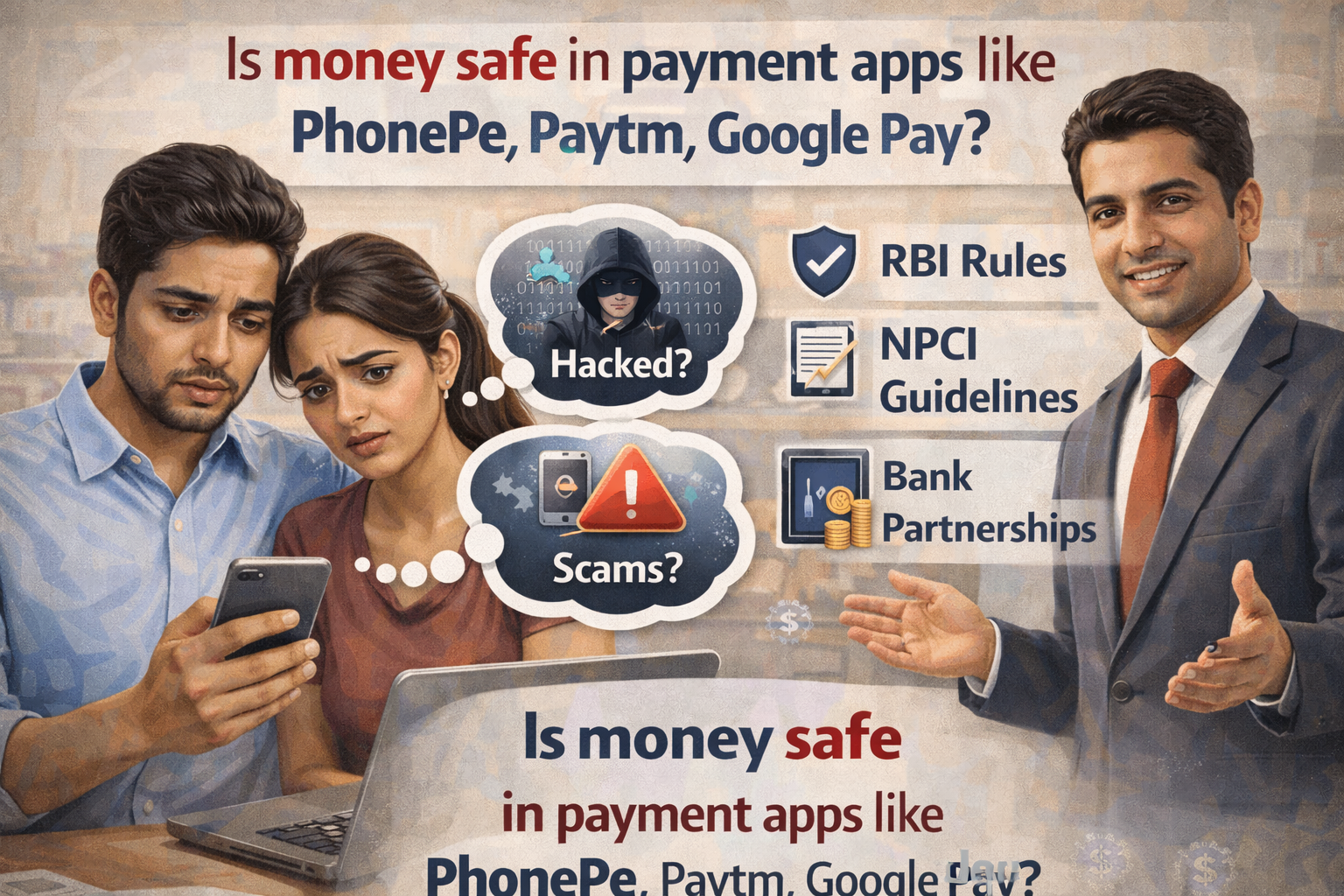
My uncle Suresh lost ₹68,000 in 4 minutes.
Someone called claiming to be from his bank. They said his KYC needed urgent updating. They sent him a link. He clicked it, entered some details, and approved what he thought was a verification request.
Within minutes, his Paytm wallet was empty. Then his linked bank account was drained through PhonePe.
“But these apps are safe, right?” he asked me later, devastated. “Everyone uses them.”
Here’s what I had to tell him: The apps themselves are reasonably safe. The weakest link isn’t the technology—it’s human behavior.
I’ve spent over 12 years in banking and financial technology, and I’ve seen every type of payment app scam imaginable. The question isn’t just “is money safe in these apps?” It’s “are you using them safely?”
Let me break down exactly what protections these apps have, where the real risks are, and how to actually keep your money secure.
The Short Answer Nobody Wants to Hear
Money in UPI apps like PhonePe, Google Pay, CRED, and Amazon Pay is relatively safe because they don’t actually hold your money—your bank does.
Money in wallet apps like Paytm, Mobikwik, and Freecharge has more risk because it sits in a separate semi-banking entity with different protections.
But here’s the reality: The app’s security doesn’t matter if you’re the weak link.
95% of money lost through payment apps happens because of:
- Phishing scams (fake calls, messages, links)
- Sharing OTPs and PINs
- Installing malware disguised as legitimate apps
- Falling for “refund” and “KYC update” scams
- Not understanding how the apps actually work
The remaining 5% is actual technical breaches, app failures, or bank errors.
Let me explain what this means for your money.
How These Apps Actually Work (And Why It Matters)
UPI Apps (PhonePe, Google Pay, CRED, Amazon Pay, etc.)
These apps don’t hold your money. They’re interfaces that connect to your bank account through UPI (Unified Payments Interface).
Think of them like TV remotes. The remote doesn’t create the TV show—it just lets you control your TV. Similarly, these apps don’t store your money—they just let you control your bank account.
What this means for safety:
- Your money stays in your bank account
- Bank deposit insurance (₹5 lakh per account) applies
- If the app company goes bankrupt, your money is unaffected
- If PhonePe’s server crashes, your bank balance doesn’t change
Where risk exists:
- The app can be hacked to send unauthorized payment requests
- Your phone can be compromised
- You can be tricked into approving fraudulent transactions
- App bugs can cause duplicate payments or failed transfers
Wallet Apps (Paytm Wallet, Mobikwik, Freecharge, etc.)
These actually hold your money in a separate “prepaid payment instrument” (PPI) account.
When you add ₹5,000 to Paytm wallet, that money leaves your bank and sits in Paytm Payments Bank or their wallet infrastructure.
What this means for safety:
- Your money is no longer in your regular bank
- Regular bank deposit insurance doesn’t apply
- If the wallet company faces financial trouble, your money could be at risk
- Regulations are different from full-fledged banks
Where risk exists:
- All the same risks as UPI apps, plus
- Company-specific financial stability
- Limited regulatory protection compared to banks
- Harder to recover money if the company fails
This is why I always tell people: Use wallets for convenience, not for storage.
Keep small amounts in wallets for quick payments. Don’t park ₹50,000 in Paytm wallet thinking it’s the same as your bank account. It’s not.
The Real Security Features These Apps Have
Let me be fair to these companies—they do implement serious security:
Multi-Layer Authentication
What they do:
- PIN/password to open the app
- Biometric verification (fingerprint/face)
- Device binding (app works only on registered device)
- OTP for bank account linking
- UPI PIN for every transaction
- Transaction limits (typically ₹1 lakh per day)
What this means: Someone needs your phone, your fingerprint/PIN, and your UPI PIN to steal money. That’s reasonably secure.
But if you share your OTP or UPI PIN with a scammer, all these layers collapse.
Encryption
All major apps use:
- End-to-end encryption for data transmission
- Tokenization (your actual card/account number isn’t stored on the app)
- Secure APIs to communicate with banks
What this means: Hackers intercepting your internet traffic can’t easily read your payment details.
But if malware is installed on your phone, encryption doesn’t help—the malware reads data before it gets encrypted.
Fraud Monitoring
Apps monitor for:
- Unusual transaction patterns
- Multiple failed authentication attempts
- Transactions from new devices
- Large amounts to unfamiliar recipients
What this means: Genuinely suspicious activity often gets blocked automatically.
But sophisticated scams that mimic your normal behavior can slip through.
Regulatory Compliance
RBI mandates:
- Two-factor authentication for all transactions
- Caps on wallet balances and transaction amounts
- Regular security audits
- Data localization (storage in India)
What this means: There are rules these companies must follow, with penalties for violations.
But compliance doesn’t prevent all fraud, especially social engineering.
Where the Real Risks Actually Are
1. Phishing and Social Engineering (90% of Fraud)
This is how my uncle lost his money. And it’s how most people lose money.
Common scams:
Fake customer service calls:
- “Hello, I’m calling from PhonePe/Paytm customer care”
- “Your KYC needs updating or account will be blocked”
- “We need to verify your account, please share the OTP”
Reality: These companies NEVER call asking for OTP or PIN. Never.
Refund scams:
- “Your payment failed, we’ll process refund”
- “Please share OTP to receive the refund”
- You share OTP—money gets deducted, not added
Reality: Refunds happen automatically. No one needs OTP to give YOU money.
Prize/cashback scams:
- “Congratulations, you won ₹25,000!”
- “Click this link to claim”
- Link installs malware or phishes your credentials
Reality: Legitimate prizes come through official app notifications, not random SMS/WhatsApp.
Screen sharing scams:
- “There’s a problem with your account”
- “Install AnyDesk/TeamViewer so we can fix it”
- They watch your screen as you enter PIN/OTP
Reality: No legitimate company needs to remote-access your phone for payment issues.
I’ve seen educated people—engineers, doctors, lawyers—fall for these. Intelligence doesn’t prevent it. Awareness does.
2. Malware and Fake Apps
Fake payment apps:
- Apps that look exactly like PhonePe or Google Pay
- Downloaded from third-party sites or links
- Steal your credentials when you try to login
Always download from:
- Google Play Store (Android)
- Apple App Store (iOS)
- Official company websites only
Screen overlay malware:
- Malware that overlays fake screens on top of legitimate apps
- You think you’re entering PIN in the real app
- You’re actually entering it in the malware’s fake screen
Keylogger malware:
- Records everything you type
- Captures PINs, passwords, OTPs
- Sends them to fraudsters
How malware gets in:
- Clicking suspicious links in SMS/WhatsApp
- Downloading APKs from unknown sources
- Granting excessive permissions to sketchy apps
- Not keeping your phone OS updated
3. SIM Swapping
This is terrifying and increasingly common.
How it works:
- Fraudster gets your basic details (name, DOB, address—often from data leaks)
- They go to your mobile operator claiming lost SIM
- Operator issues new SIM to them (if their verification is weak)
- Your SIM stops working, theirs activates with your number
- They now receive all your OTPs
- They reset passwords, approve transactions, drain accounts
What makes it scary: Even if you never share OTP, they’re receiving it directly.
Protection:
- Enable SIM lock/PIN (so new SIM activation requires PIN)
- Register for SMS/email alerts for SIM change requests
- Use authenticator apps instead of SMS OTP where possible
- Call your operator immediately if your SIM suddenly stops working
4. Weak PINs and Password Reuse
Common mistakes:
- Using 1234, 0000, 1111, or your birth year as UPI PIN
- Using same PIN for multiple apps
- Using same password for payment app and email
- Saving passwords in unencrypted notes on phone
Why it matters: If one account is compromised, all linked accounts fall.
What actually works:
- Unique, random 4 or 6-digit UPI PINs for each bank account
- Strong app passwords (not related to any personal info)
- Password manager for storing (encrypted)
- Never writing PINs in phone’s notes
5. Public WiFi and Unsecured Networks
The risk: Using payment apps on public WiFi (café, airport, hotel) exposes your data to potential interception.
Why it happens: Public networks often lack encryption. Attackers can position themselves as “man in the middle” and capture data.
Protection:
- Never make payments on public WiFi
- Use mobile data (4G/5G) for financial transactions
- If you must use WiFi, use a VPN
- Avoid payment apps on shared computers entirely
6. Permissions and App Access
What people don’t check: Apps request permissions. People click “Allow All” without reading.
What can go wrong:
- Payment app doesn’t need access to your contacts, but you granted it
- Malicious app gets SMS permission and reads your OTPs
- Screen recording permission allows apps to capture your PINs as you type
What you should do:
- Review app permissions regularly (Settings → Apps → Permissions)
- Grant only necessary permissions
- Revoke permissions you don’t understand or that seem excessive
The Paytm Wallet Problem (And Why It’s Different)
Paytm deserves special attention because of its wallet feature.
When you add money to Paytm wallet, it goes to Paytm Payments Bank, which is different from a regular bank.
Key differences:
Regular Banks:
- Full banking license
- RBI deposit insurance up to ₹5 lakh per account
- Decades of regulatory framework
- Can lend money (generating income beyond fees)
Payments Banks (like Paytm Payments Bank):
- Limited banking license
- Can’t give loans
- Can accept deposits up to ₹2 lakh per account
- Subject to stricter operational restrictions
- Newer regulatory framework
What happened with Paytm in 2024: RBI imposed restrictions on Paytm Payments Bank for compliance failures. This created panic among users who had money in Paytm wallets.
The money was eventually accessible, but the incident highlighted the risks of keeping significant amounts in wallets.
My recommendation:
- Use Paytm/Mobikwik/Freecharge wallets for small convenience amounts (₹500-₹2,000)
- Don’t treat wallets as savings accounts
- Transfer cashback and rewards to bank account regularly
- Never keep ₹20,000+ sitting in a wallet
For daily payments, UPI apps directly linked to your bank are safer because your money stays in a full-service bank with complete protection.
What Most People Don’t Realize About Transaction Reversals
Common belief: “If I get scammed, the app company will reverse the transaction and refund me.”
Reality: Usually wrong.
Here’s how transaction reversals actually work:
When Reversals Happen
Technical failures:
- Payment deducted but didn’t reach recipient
- Server error during transaction
- Duplicate charge for same transaction
These get reversed, usually within 3-7 days.
Wrong recipient (your mistake):
- You sent to wrong UPI ID or number
- You have to request recipient to return money
- App can’t force reversal unless recipient agrees or court orders it
Fraud/scam:
- You were tricked into sending money
- You approved the transaction (even if under false pretense)
- Extremely difficult to reverse
Why? Because from the app’s perspective, you authorized the payment. Your UPI PIN was entered correctly. The transaction was legitimate technically, even if fraudulent in intent.
The Harsh Reality of Fraud Recovery
I’ve seen hundreds of fraud cases. Recovery rate is shockingly low—maybe 5-10%.
Why it’s hard to get money back:
Money moves fast:
- Fraudsters transfer to multiple accounts immediately
- Then to crypto or withdrawn as cash
- By the time you report, money is gone
Legal process is slow:
- Police report required
- Bank investigation takes weeks
- Legal proceedings take months or years
- Fraudsters often operate from different jurisdictions
Proving fraud is complex:
- You need to prove you were deceived
- If you entered PIN/OTP, it looks like you authorized it
- Burden of proof is on you
App companies have limited liability:
- Their terms of service say you’re responsible for keeping credentials secure
- If you shared OTP, they consider it your fault
- They’ll cooperate with investigations but rarely refund
This is why prevention is everything. Once money is gone, it’s likely gone permanently.
The Connection to Your Credit Score and Loan Eligibility
Here’s something people miss: fraud losses in payment apps can affect your ability to get loans later.
How this happens:
If fraudsters drain your account through payment apps:
- Your scheduled EMI auto-debits fail
- Your credit card payment auto-debit bounces
- These missed payments report to CIBIL
Your credit score drops even though you were a fraud victim.
During the bank loan approval process, banks see these missed payments. They don’t see the context—just the defaults.
This becomes one of the hidden reasons banks reject loans. Your CIBIL score might recover, but the payment history stays on your report for years.
One of the biggest CIBIL score myths is that fraud gives you a free pass on missed payments. It doesn’t. You still have to prove fraud, get it documented, and formally dispute the credit report entries—a process that takes months.
The relationship between credit score vs loan eligibility includes your payment consistency, regardless of why payments were missed.
I’ve seen people maintain 750+ scores for years, get defrauded, miss 2 EMI payments while sorting it out, and then face loan rejections 18 months later.
Protection strategy:
- Keep emergency funds in a separate account not linked to payment apps
- Don’t link your only bank account to multiple payment apps
- Monitor credit report quarterly to catch fraudulent activity early
- If fraud happens, immediately inform all lenders BEFORE payments bounce
How to Actually Keep Your Money Safe
The Non-Negotiable Rules
1. Never share these with anyone:
- UPI PIN (not even to “customer care”)
- OTP (not even for “verification” or “refund”)
- CVV number
- Card PIN
- Net banking password
- Debit card expiry date + CVV together
No exceptions. No circumstances. No “but they said…”
If someone asks for these, it’s a scam. Hang up immediately.
2. No screen sharing for payment issues
AnyDesk, TeamViewer, Google Remote Desktop—never install these at someone’s request for payment app problems.
Legitimate customer service never needs to see your screen.
3. Verify independently
Someone calls claiming to be from your bank/app:
- Hang up
- Find the official customer care number yourself (from app or official website)
- Call them yourself
- Ask about the supposed issue
Never use numbers provided by callers or in suspicious SMS.
4. Transaction limits
Set daily transaction limits in your app settings:
- UPI apps allow you to set per-transaction caps
- Keep them reasonable (₹10,000-₹25,000 unless you regularly need more)
- Increase temporarily when needed, reduce immediately after
If your account is compromised, limits minimize damage.
5. Immediate action on suspicious activity
The moment you see unknown transactions:
- Block your card in the app immediately
- Call bank and freeze account
- Change all PINs and passwords
- File police complaint
- Report to app company
- Check your credit report
Every minute matters. Don’t wait to “figure out what happened” first—lock everything down, then investigate.
Advanced Protection Measures
Use separate accounts:
- Main bank account: salary, savings, minimal linking
- Secondary account: linked to payment apps, keep ₹10,000-₹50,000
- If payment apps are compromised, limited money at risk
Enable all available security features:
- Biometric authentication
- Transaction alerts (SMS + email + app notification)
- Auto-lock on app (timeout after 1-2 minutes of inactivity)
- Device binding (allow transactions only from registered device)
Regular security audit:
- Monthly: Review all transactions in each app
- Quarterly: Check linked bank accounts and cards
- Annually: Review app permissions, unlink unused cards/accounts
Keep apps updated:
- Enable auto-update for payment apps
- Keep phone OS updated (security patches matter)
- Delete apps you no longer use (fewer attack vectors)
Backup authentication:
- Add recovery email and phone number
- Use authenticator apps where available (Google Authenticator, Authy)
- Keep backup codes somewhere secure offline
When to Use Which App (Strategic Approach)
Not all payment apps are equal for all purposes.
For daily small payments (₹50-₹500):
- Google Pay, PhonePe, Paytm UPI
- Fast, convenient, risk is minimal
For moderate payments (₹500-₹5,000):
- UPI apps directly linked to your bank
- Verify recipient before sending
- Check transaction limits
For large payments (₹5,000+):
- Direct bank NEFT/RTGS or net banking
- More verification steps = more security
- Lower daily limits on UPI mean less exposure if compromised
For recurring payments:
- Credit card auto-debit (dispute protection)
- Or bank standing instruction (more formal, documented)
- Not UPI auto-pay (harder to cancel, less protection)
For wallet top-ups:
- Add only what you need for next few days
- ₹500-₹1,000 maximum unless specific purpose
- Empty wallet regularly back to bank
For merchant payments:
- QR code scan (verify merchant name before paying)
- Never pay to personal accounts for business purchases (no recourse)
Special Situations and Hidden Risks
Lending Apps Linked to Payment Apps
Some apps (KreditBee, MoneyTap, EarlySalary) integrate with payment apps.
Risks people miss:
- They get access to your transaction history for credit assessment
- Some access contacts, SMS, call logs
- Privacy implications are significant
- If hacked, more of your data is exposed
What to do:
- Link only what’s absolutely necessary
- Revoke access after loan is processed
- Read permission requests carefully
Investment Apps Using Payment Integration
Groww, Zerodha, Paytm Money link to payment apps for investing.
Additional considerations:
- These apps hold larger amounts than wallets
- More attractive targets for fraudsters
- Use extra security (longer passwords, 2FA)
- Monitor investment accounts separately from payment apps
Bill Payment and Recharge Apps
Small risk that adds up:
- Saving credit card details for convenience
- Auto-pay without verification
- Overcharges or duplicate debits
Protection:
- Don’t save cards on utility payment apps
- Enter manually each time (yes, it’s less convenient, but safer)
- Check bill amount before approving
International Payments
Some apps (PayPal, Western Union integrated with Indian apps) handle international transfers.
Higher risk because:
- More complex fraud schemes
- Harder to verify recipient
- Currency conversion can hide fraudulent charges
- Cross-border recovery is nearly impossible
Extra caution:
- Only use for known, verified international recipients
- Double-check conversion rates
- Keep records of all international payments
What to Do If You Lose Money
Despite all precautions, sometimes fraud happens. Here’s your action plan:
Immediate (First 30 Minutes)
1. Block everything:
- Call bank, ask them to freeze account
- Block cards in all payment apps
- Disable UPI in each app
- Change all PINs and passwords
2. Document:
- Screenshot all fraudulent transactions
- Note exact times
- Save all messages/emails from scammer
- Screen-record your account showing unauthorized transactions
3. Report:
- File complaint in the app (all apps have report fraud feature)
- Call app customer care and get complaint number
- Email app’s grievance cell
First 24 Hours
4. Police complaint:
- Visit nearest police station
- File FIR for cyber fraud
- Get FIR copy (needed for bank/app investigations)
- Register on cybercrime.gov.in portal
5. Bank reporting:
- Formal written complaint to bank
- Submit FIR copy
- Request transaction details
- Ask about chargeback (if card was used)
6. Lock down:
- Change email password (fraud often starts with email hack)
- Enable 2FA on all accounts
- Check recent logins on all apps
- Review permissions on all apps
Next 7 Days
7. Follow up:
- Daily follow-up with app company
- Weekly follow-up with bank
- Check case status on cybercrime portal
- Escalate to app’s grievance officer if no response
8. Credit protection:
- Check your credit report
- Place fraud alert if identity theft suspected
- Dispute any fraudulent credit inquiries
9. Prevention for future:
- Unlink compromised accounts from all apps
- Open new account if necessary
- Review how fraud happened and fix that weakness
If Money Isn’t Recovered
After 30 days:
- Escalate to Banking Ombudsman (if bank is involved)
- File complaint with NPCI (for UPI fraud)
- Consider consumer court for significant amounts
Reality check: Recovery likelihood is low. But the documentation you create now helps if you eventually take legal action or if there’s a pattern leading to arrests.
Frequently Asked Questions
Q1: Is it safer to use Google Pay or PhonePe or Paytm?
For UPI transactions, all are similarly safe—they’re interfaces to your bank account. Security depends more on how you use them than which brand. Google Pay and PhonePe are purely UPI apps. Paytm has wallet feature which adds different risks. For pure UPI, pick based on features/cashback/interface you prefer. For security, they’re comparable when used properly.
Q2: Can someone hack my payment app just by knowing my phone number?
Not directly. They’d also need: access to your physical phone (or clone SIM), your app PIN/password, and your UPI PIN. However, phone number alone enables social engineering attacks—they can call pretending to be customer service, send phishing links, or attempt SIM swap. So protect your number, don’t share OTPs, and be suspicious of calls claiming to be from payment companies.
Q3: What if I accidentally sent money to the wrong person via UPI?
Contact recipient immediately and request return. If they don’t respond: (1) Report in the app, (2) Call app customer care with transaction ID, (3) File police complaint if amount is significant, (4) App company can contact recipient’s bank but can’t force reversal without recipient consent or court order. Prevention: always verify UPI ID/number before confirming payment, use the “verify” feature that shows recipient name.
Q4: Are payments made through QR codes safer than entering UPI ID manually?
Not necessarily. QR codes just auto-fill recipient details—they can be fake too. Fraudsters print fake QR codes over legitimate merchant codes. Always verify: (1) merchant name that appears after scanning, (2) amount pre-filled matches your bill, (3) you’re paying a merchant account, not personal account for business purchases. Fake QR codes are common at fuel pumps, restaurants, parking lots.
Q5: Should I link my primary savings account or create a separate account for payment apps?
Separate account is safer if you can manage it. Keep ₹10,000-₹50,000 in an account linked to payment apps. Your main savings/salary account stays unlinked with the bulk of your money. If payment apps are compromised, damage is limited. However, ensure you maintain minimum balance in both accounts to avoid penalty fees. Many people find one account easier to manage—in that case, use aggressive transaction limits and monitoring.
Q6: Can payment app companies see my bank account balance and transaction history?
For UPI apps: they can see transactions made through their app, but not your complete bank statement or balance. They need permission for each transaction. For wallet apps where you’ve linked cards: they see what you authorize during KYC/linking. For lending features: you explicitly grant access to transaction history for credit assessment—read permissions carefully. Never grant more access than necessary, revoke after specific purpose is complete.
Q7: What happens to my money if the payment app company shuts down?
For UPI apps (PhonePe, Google Pay): your money is in your bank account, completely unaffected. You just lose access to that particular interface—use another UPI app or direct bank app. For wallets (Paytm, Mobikwik): money is in their payments bank/PPI license. If they shut down orderly, you get withdrawal window. If sudden collapse, recovery depends on regulatory intervention—this is why never keep large amounts in wallets.
Q8: Is it safe to save card details in payment apps for faster checkout?
Convenient but adds risk. If app is hacked or your phone is stolen, saved cards can be misused (though usually require CVV/OTP for transactions). Safer: don’t save cards, enter manually each time. Middle ground: save on apps you use frequently and trust, with strong app-level security (biometric lock, etc.). Never save CVV anywhere—apps don’t allow it anyway, but some merchant sites do, which is terrible security.
The Bottom Line
Is money safe in payment apps like PhonePe, Paytm, Google Pay?
The technology is reasonably secure. The companies are regulated. The payment infrastructure is robust.
But security is a chain—and you are the most important link.
These apps are as safe as:
- Your ability to recognize scams
- Your discipline in never sharing credentials
- Your phone’s security
- Your awareness of what’s normal vs. suspicious
- Your backup plan if something goes wrong
The apps can’t protect you from yourself.
My uncle’s ₹68,000 loss? The Paytm app didn’t fail. The bank’s security didn’t fail. The UPI system didn’t fail.
He failed to recognize a phishing call. He clicked a malicious link. He entered his details on a fake page. He approved transactions thinking he was “verifying” his account.
Every security layer the app had in place was bypassed—not by sophisticated hacking, but by simple social engineering.
Could he have prevented it? Absolutely. One simple rule would have saved him: Never share OTP or PIN with anyone claiming to be customer service. Never.
That’s it. One rule. ₹68,000 saved.
The money lost through payment apps in India runs into hundreds of crores annually. Almost all of it is preventable fraud, not technical failures.
Use payment apps. They’re convenient and usually safe. But use them smart:
- Understand how they work
- Know what protections exist (and what don’t)
- Follow non-negotiable security rules
- Keep limited amounts exposed
- Monitor constantly
- Act immediately if something’s wrong
Your money’s safety doesn’t depend on PhonePe’s servers or Google’s encryption or Paytm’s security team.
It depends on whether you click that link. Whether you share that OTP. Whether you verify before you pay.
The apps give you tools. You decide whether to use them safely.
Financial Disclaimer: This article provides general information based on the author’s experience in banking and financial technology in India. Payment app features, security measures, and regulatory frameworks change frequently. Specific app policies vary by provider. Fraud tactics evolve constantly. This is not security, financial, or legal advice for your specific situation. Always verify security best practices with official app sources, follow your bank’s guidelines, and consult cybersecurity professionals for serious concerns. Information about app features and regulations is current as of publication but subject to change.